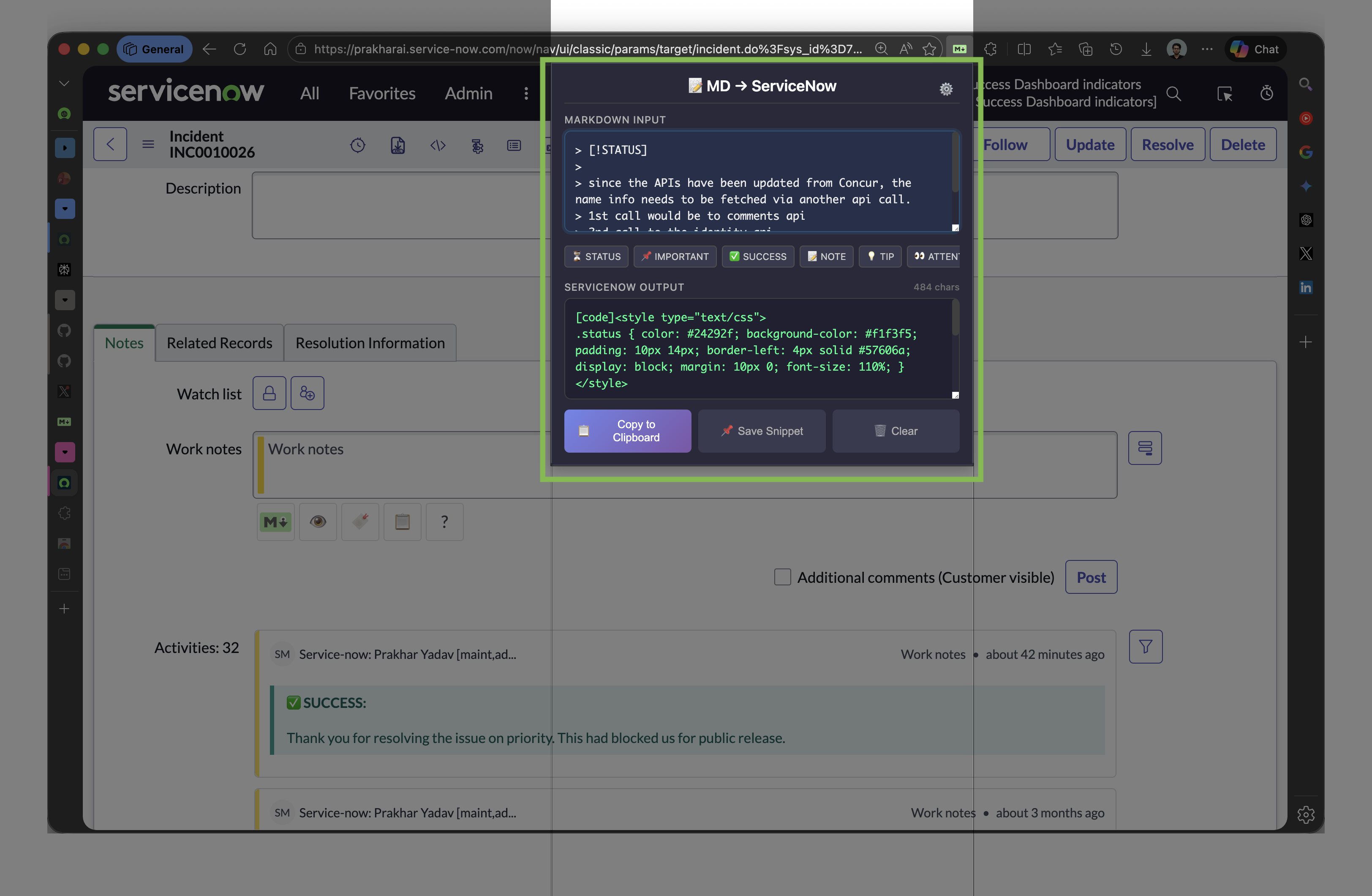
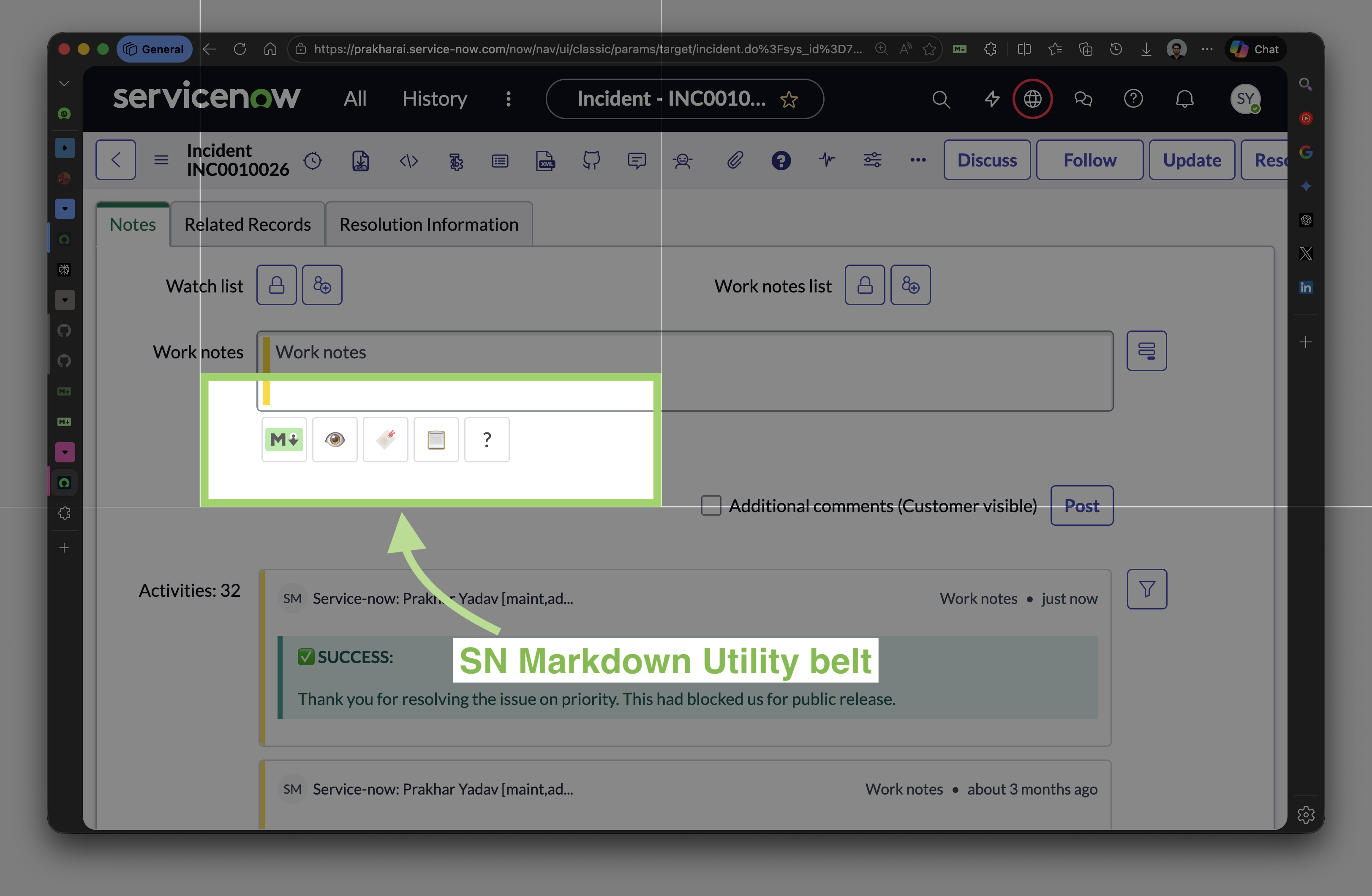
A Chrome extension that converts Markdown to ServiceNow journal format instantly โ with a popup converter, right-click context menu, and in-page toolbar on every journal field.
Three ways to convert, with powerful extras for power users.
Click any screenshot to enlarge.
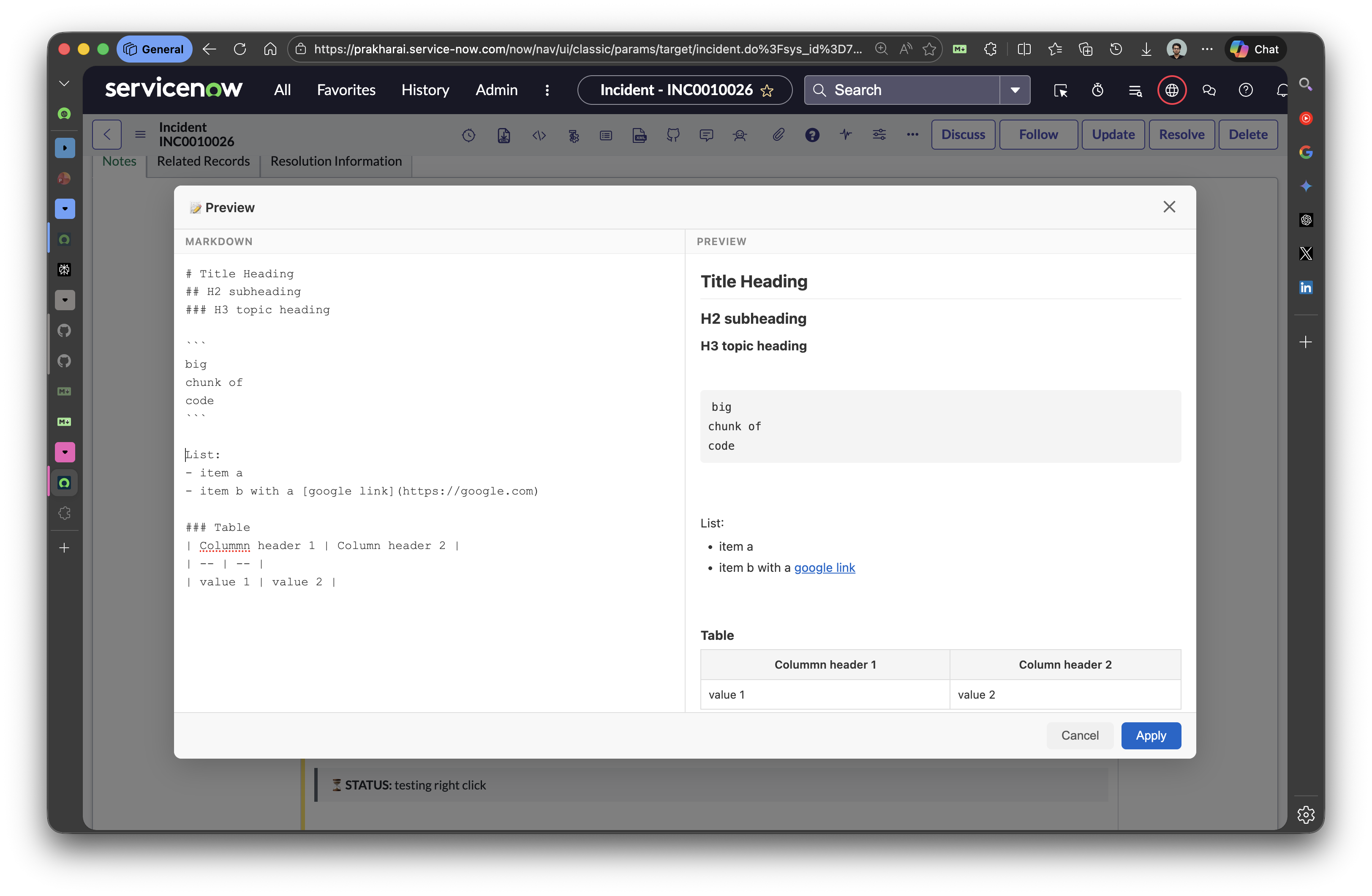
Type Markdown in the left panel and see the ServiceNow journal output on the right โ powered by the actual conversion library.
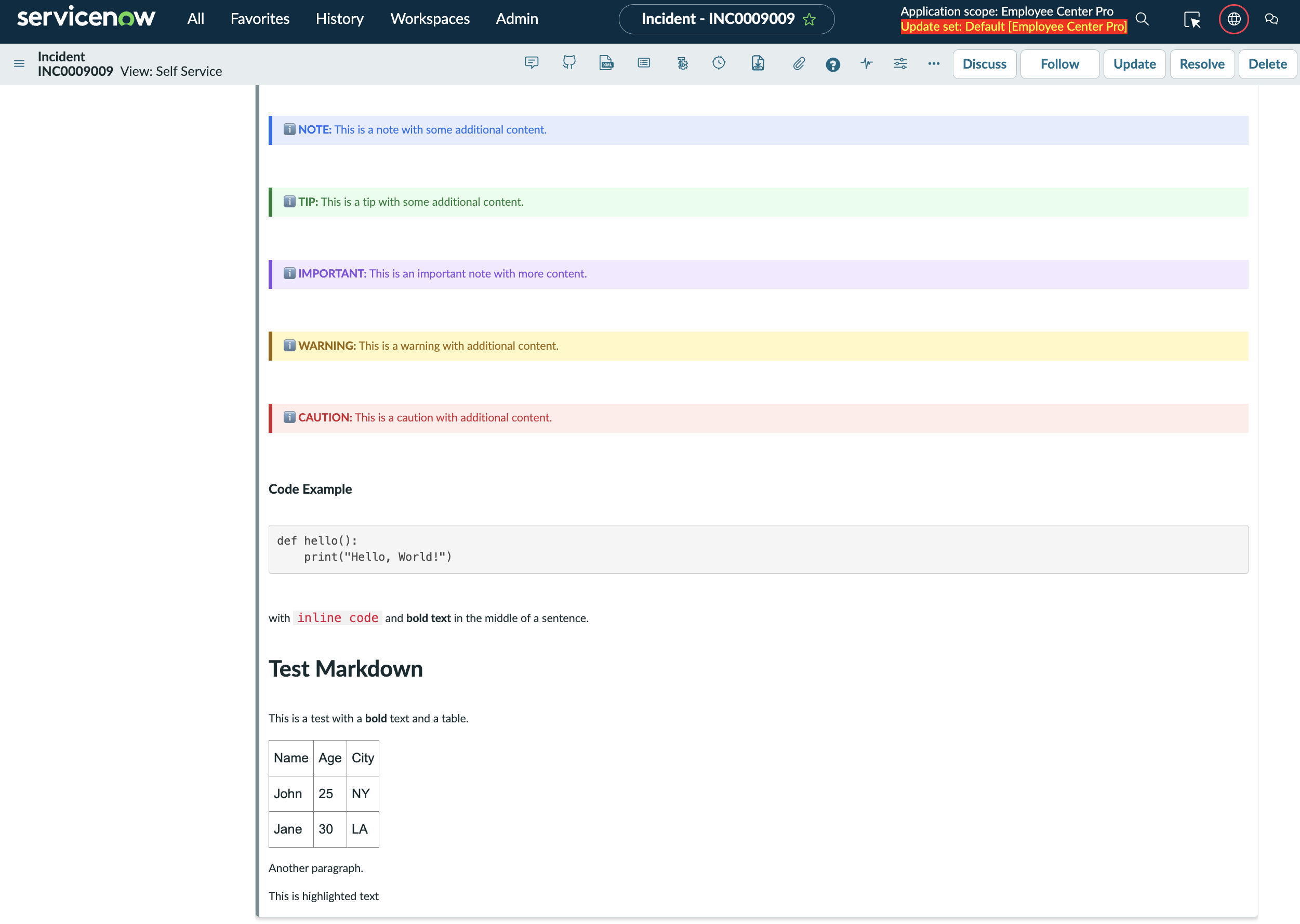
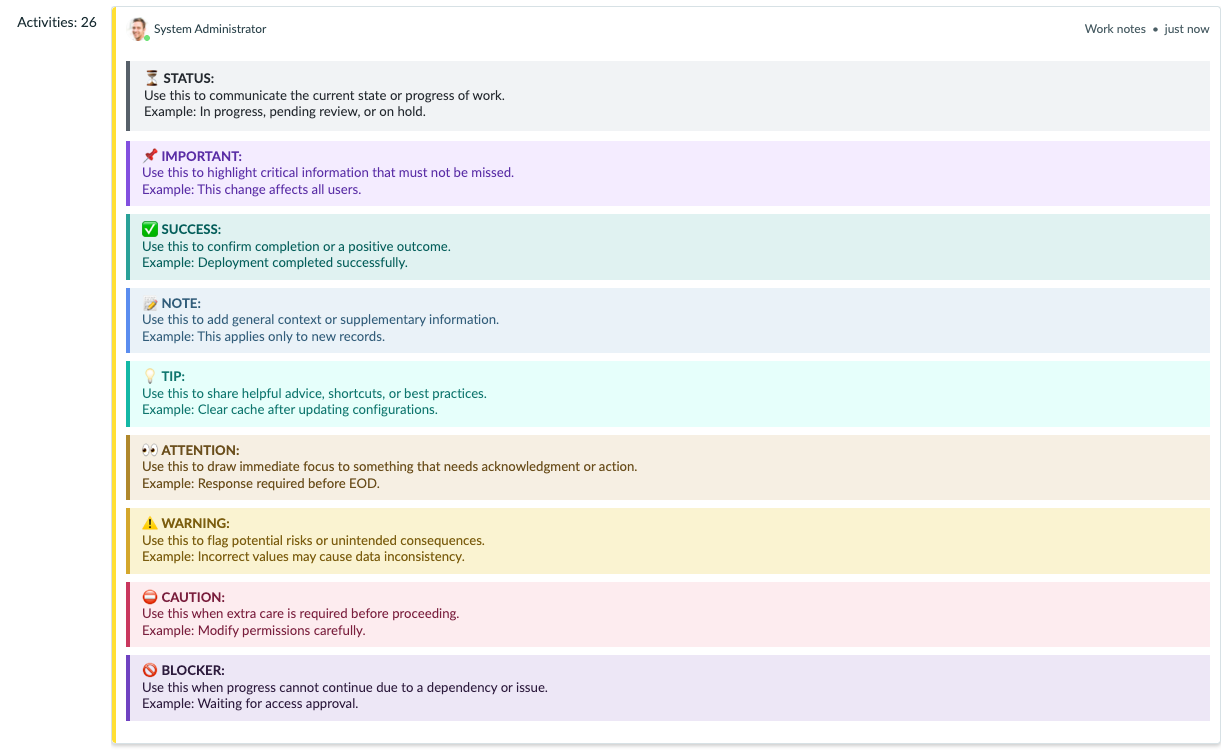
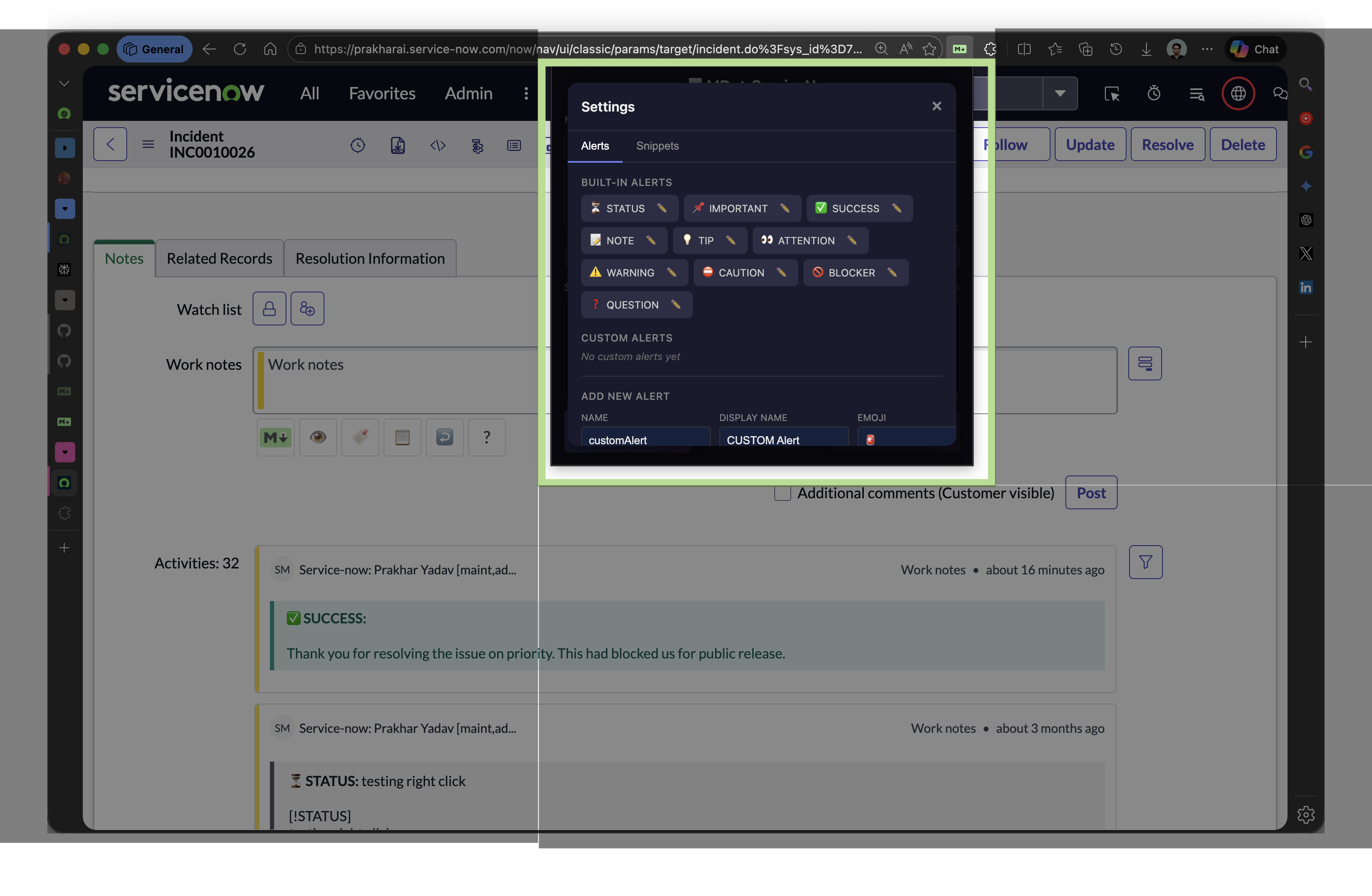
Use the > [!TYPE] syntax in your Markdown. Each alert renders with a distinct color in ServiceNow.
> [!WARNING]
> This deployment will cause a brief service interruption.
> Estimated downtime: 5 minutes.
Create your own alert types with any name, emoji, and color scheme via the extension settings. Import and export configurations to share with your team.
All standard Markdown elements plus ServiceNow-specific extensions.
| Element | Markdown Syntax | ServiceNow Output | Notes |
|---|---|---|---|
| Heading 1 | # Heading | <h1>Heading</h1> | H1 through H6 supported |
| Bold | **text** or __text__ | <strong>text</strong> | |
| Italic | *text* or _text_ | <em>text</em> | |
| Bold + Italic | ***text*** | <strong><em>text</em></strong> | |
| Strikethrough | ~~text~~ | <strike>text</strike> | |
| Highlight | ==text== | <span>text</span> | Yellow background |
| Inline Code | `code` | <code>code</code> | |
| Code Block | ```language | [code]...[/code] | ServiceNow code tag |
| Link | [text](url) | <a href="url">text</a> | |
| Image |  | <img src="url" alt="alt"> | |
| Unordered List | - item or * item | <ul><li>item</li></ul> | |
| Ordered List | 1. item | <ol><li>item</li></ol> | |
| Blockquote | > quote | <blockquote>...</blockquote> | With border + background |
| Alert Block | > [!WARNING] | Styled blockquote | 10 built-in types |
| Table | Pipe-delimited | <table>...</table> | With header styling |
| Horizontal Rule | --- or *** | <hr> |
Markdown to ServiceNow is 100% local. There are no servers, no accounts, no analytics.
*.service-now.com or *.servicenow.com. If your company uses a custom domain for ServiceNow, the toolbar won't auto-inject, but the popup converter and context menu still work on any page.work_notes), Comments (comments), and Activity Stream textarea fields. It intentionally excludes short description, description, and resolution notes fields to avoid interfering with non-journal content.input, change, and keyup events with bubbles: true, and also calls the field's onchange handler if it exists. ServiceNow's form validation and submission logic should work normally.HOTFIX) and used in the syntax as > [!HOTFIX]. In the UI they appear with a separate Display Name that can include spaces and mixed case (e.g., "Hot Fix"). The technical name must be lowercase, alphanumeric, and underscores only (max 20 chars).